Blog about Maya, Realflow, Vue, Mentalray, Cryengine 3, ZBrush, Cryengine, Blender, Gimp and XNA
Wednesday, August 14, 2013
Rendering Maya plants in Mentalray
In this post I'm going to show you how to render plants in mentalray using mental ray materials. Also you can use this method for trees as well as grasses.
Saturday, August 3, 2013
Duplicating and placing 3D models in XNA
In this post I'm going to talk about duplicating 3d models several times using for loop. To duplicate 3d models, you have to import a 3d model to visual studio xna gaming platform. After importing the model you have to do the basic coding of the model and the camera which I explained in my previous post.
Friday, August 2, 2013
How to import a 3D object from Maya or 3DMax to XNA
First, export the object in FBX file format in Maya or 3DMax. Create a new visual studio project. Then add the fbx file to your visual studio project content folder. You can use add->existing item or just copy and paste the file. Then add a new variable to render this model.
Monday, July 29, 2013
Draw primitives in XNA
Best way to draw a primitive on the screen is declare an array of vertices and pass those to the DrawUserPrimitive method. Now lets see how to do it. First you need to create an instance of BasicEffect.
Saturday, June 22, 2013
AI vehicle movement in cryengine 3
Normally you can move your AI vehicle using AI follow path, but you can't control the speed of the vehicle. Using vehicle follow path you can control the speed and you can reverse the vehicle.
Wednesday, June 19, 2013
Creating a custom weapon for Cryengine3 using Maya
Sunday, June 9, 2013
Creating a custom first person arms in Maya for Cryengine 3
In this tutorial you are going to learn how to create custom arms for Cryengine3 in Maya. Actually I'm going to talk about how to export custom arms to Cryengine3. There are lot of tutorials which explain 3dmax and crengine3 integration. But I'm heavy Maya user, so I think this might be very helpful for Maya users.
Saturday, June 8, 2013
Importing objects as separate parts and unwrap UVs in zbrush
When you import objects from Maya or 3d Max to Zbrush it will import as a single mesh. After importing a object you can separate it's part using Group Split method. Now lets see how to unwrap the UVs and separate the parts.
Tuesday, April 16, 2013
Rendering with wireframe in Maya
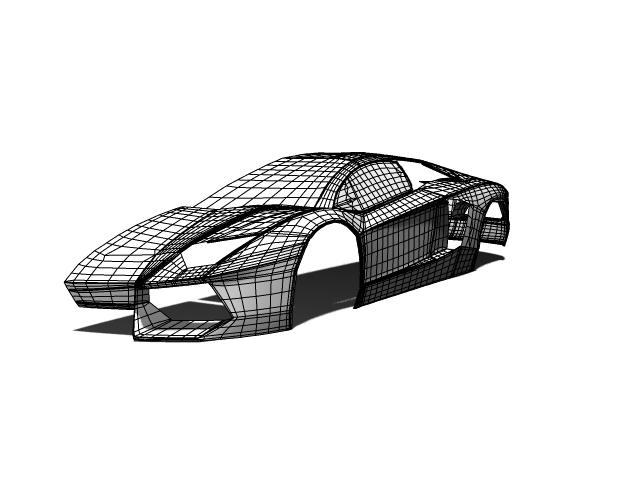
In 3D industry, 3D model designers rendered their model with the wire frame for the presentation or behind scene of the movie, so audience can see the topology of the model while looking at the detail of the model. If you are using Maya for the 3D modeling and animation you can use contours rendering in mental ray. Now lets see how to render your scene with wire frame.
Saturday, March 23, 2013
Maya facial animation using Zbrush
In this post I'm going to show you how to create a facial animation using Maya and Zbrush. You can do a facial animation using joints but this method is very useful when you going to do very smooth and sharp animation. In here I'm going to do small smile animation.
Sunday, February 10, 2013
How to handle dielectric material
You can create dielectric material and assign it to object, but it is not the correct way. You cannot handle special attributes like photons. Because of this we have to use Maya default material. In this post I'm going to show you how to do it.
Saturday, February 9, 2013
Creating topology in zbrush
When you are creating a game character you have to make it low poly. If your game character is high poly it may cause some problems when you are importing it to the game engine. Using zbrush topology tool you can create low poly model according to the actual high poly model.
Adding vinyls to car paint material
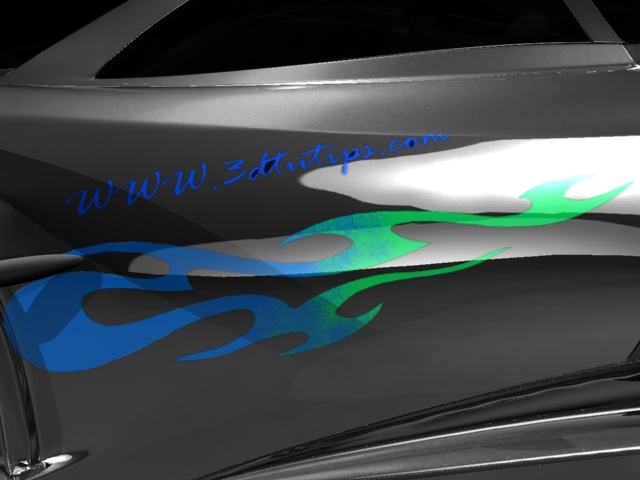
Adding vinyls to car model is very easy when you are using Maya stock materials like blinn. You can use alpha maps directly through transparent attribute of the material. But when you go to mi car paint material you have to use layered shader and surface shader. Before go through this tutorial you have to create a vinyl texture and and alpha map because I'm not going to show it here.
Subscribe to:
Posts (Atom)