Blog about Maya, Realflow, Vue, Mentalray, Cryengine 3, ZBrush, Cryengine, Blender, Gimp and XNA
Showing posts with label texturing. Show all posts
Saturday, February 9, 2013
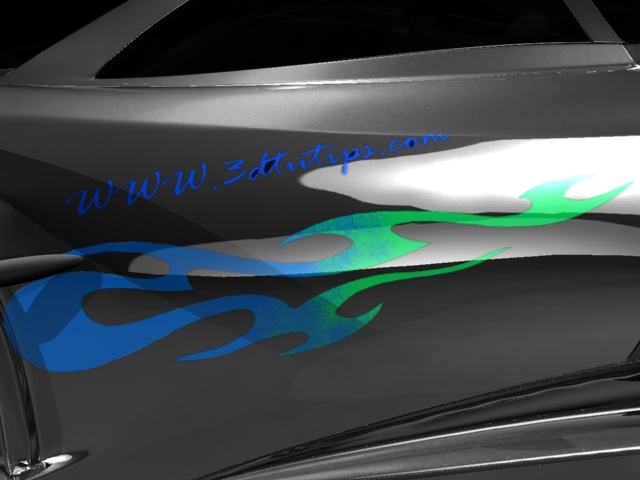
Adding vinyls to car paint material
Adding vinyls to car model is very easy when you are using Maya stock materials like blinn. You can use alpha maps directly through transparent attribute of the material. But when you go to mi car paint material you have to use layered shader and surface shader. Before go through this tutorial you have to create a vinyl texture and and alpha map because I'm not going to show it here.
Car dust
First open your scene and set rendering method as mental ray. Otherwise you cannot render it clearly because we use mental ray car paint material. Make sure that you have already load mental ray plugin.
Thursday, February 7, 2013
Rendering substance in mentalray
First you need to download substance bonus tools. Click here to download it. Make sure to choose correct version. After you download you can read the user guide that includes how to install the package. If you install correctly, you can see a new tab in Maya shelf.
Road texture in Maya 2012 substance
Maya 2012 comes with new function called substance. You can create realistic seamless procedural textures using substance. Substance only available for Maya 2012 and up.
Before begin you have to create road with correct uv mapping. In here I use simple polygon plane and extrude 30 times along a curve.
Sunday, February 3, 2013
Sky and cloud texture for Maya software render
This is a very useful method that you can use in Autodesk Maya software rendering. Using fluid effects to generate cloud is little bit advance and take much time to render. But using a camera attached texture is a very simple. It takes few seconds to render. Also you can use this method in mental ray rendering. But there are other ways to design more realistic sky and clouds in mental ray.
Subscribe to:
Posts (Atom)


